




People are often afraid of creating their websites from scratch. Some believe it's utterly impossible, while others will pay experts to do it for them.
However, you should know that it is actually straightforward to create your website, even when you do not have all the necessary skills. So, can you achieve this? Through Content Management System (CMS)!
A CMS is software that creates, manages, and alters a website's content. Most times, developing sites require you to have prior experience with coding. However, with a content management system, your website will be up and running without writing code from scratch.
The CMS deals with all the infrastructure for having a successful website, so you will only focus on the creative part of it. This includes creating content and coping with CMS marketing.
Read through this article to learn more about CMS, how it works, its benefits, and how to get one.
How Does Content Management System Work?
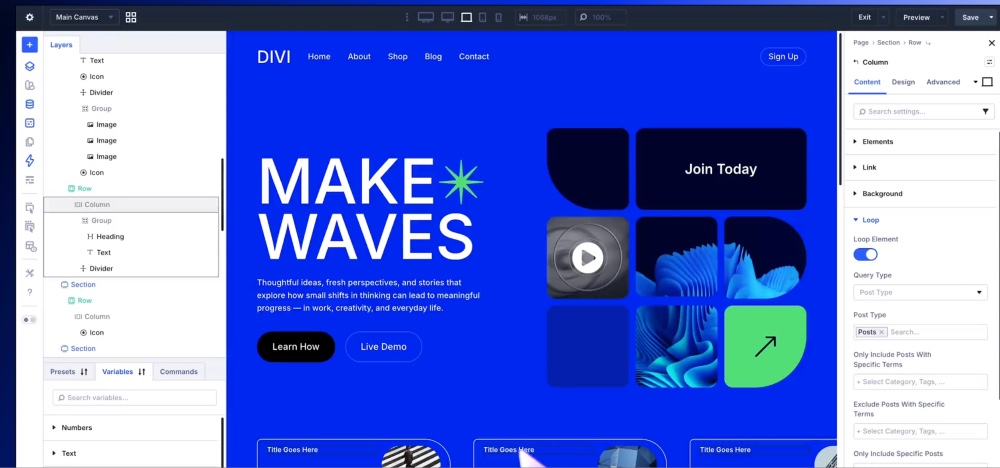
To begin with, WordPress is an excellent example of content management systems. CMS simply provides an interface with necessary tools that users utilize to create, edit, and publish website content. A sound content management system should be easy to use and publish content.
It usually stores content in a database and allows multiple users to access it. Also, the CMS you use can handle combining all the codes so that anyone can read what you post.
A CMS comprises a content management application (CMA) and a content delivery application (CDA). CMA helps update content in a website, while CDA supports delivering the created content.
What Good Features Should a CMS Comprise?
When getting a CMS, ensure that the following features are in check!
- Ensure that your CMS can add, edit, and publish content without any hitch.
- It should provide drag-and-drop builders, visual, and code-based editing options.
- It should offer access to themes, integrations, and plugins that will improve your site.
- Ability to provide Ecommerce capabilities.
- It should be mobile responsive and offer marketing features.
5 Reasons Why You Should Use CMS
- Easy to use
People with limited technical knowledge can comfortably use CMS thanks to its graphical user interface. It is also easy to search for information and manage your content. Therefore, you can publish and unpublish your content anytime to keep your content up to date. - Easily Accessible
You can have CMS on the cloud or premises. As long as you have an internet connection, you can access CMS. - Allows Multiple Usage
With CMS, you can easily manage publishing permissions. Your marketers can produce content, and developers can simultaneously add code to your site. - Prompt Content Update
Users can update their content in real-time. You can also add new web pages while your business grows. - Content Scheduling
CMS allows you to schedule content, which is an essential strategy for editing. Planning your emails, landing pages, websites, and more are pretty straightforward.
How to Get a Content Management System
If you want to build your website using a content management system, then it's easy! Here are the steps to follow:
- Purchase a host that suits your website then get a domain name
- Install the CMS that will be useful to your page
- Customize the CMS to dictate the functionality of your site, style, and CMS marketing
- Write, format, and publish content using the CMS interface.
If you are looking for a content management system, you can get it from a leading web provider like Abacus Web Services. We will help you identify the best CMS to use and show you how to navigate through it seamlessly. We can also use the CMS tool on your behalf as you handle critical matters that will propel your business!


0 Comments